How to Create, Print, and Sell a Coloring Book
Coloring books have always been popular with kids. But the audience has grown in recent years as more adults turn to unique and custom coloring books as a way to unwind or spark creativity. With the surge in interest from people of all ages, the market for these unique products has never been higher.
And interest is continuing to grow. Children’s activity books, a category that includes coloring books, sold 16.7 million print copies in 2025—an 18% increase from the previous year. According to Publishers Weekly, sales were up another 18% through May 2026.
Do you have art, photographs, or an interesting concept? Then you’ve got what you need to make your own coloring book.
Why Create Your Own Coloring Book?
If you’re an artist or illustrator, a coloring book can serve as an additional product to offer your audience. A print of your work might be more expensive than most can afford, but a coloring book gives customers access and allows them to interact with your work. You can create a themed book, a collection from existing illustrations, or a series that complements your prints or other merch.
 Lisa Klug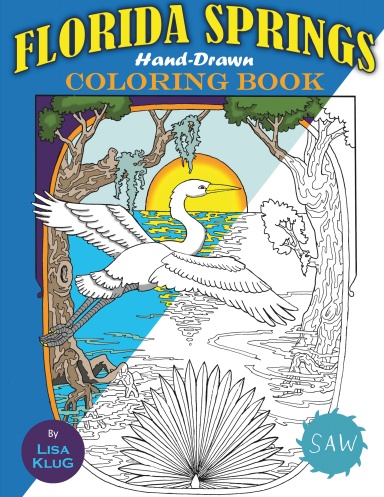
Coloring books also make great, unique gifts. Family pictures, pets, vacation photos, and wedding pictures can all be converted into line drawings for a personalized coloring book. Modern tools, often assisted by AI, can quickly change existing images into line art, making it perfect for coloring book pages.
In fact, entirely new businesses are springing up doing just that. They offer services that allow you to upload images and use inputs like names or interests, then generate coloring book pages for you.
Coloring has a huge appeal among consumers. A 2026 randomized study found reduced anxiety symptoms among students after coloring and signs that mandala coloring supported relaxation and focused attention.
For creators and businesses selling coloring books, it’s also notable that coloring books get used up. It’s not like a novel that can be reread multiple times. Once someone finishes coloring in their book, they need a new one. That creates ensured, repeatable demand.
Plan Your Coloring Book
Like any product you might create, the first thing you should do is think about who it is for.
If you’re making a traditional children’s coloring book, you’ll need simple subjects, thick outlines, and plenty of open space. Older children can handle more detailed scenes. And adult coloring books can feature more intricate patterns.
It’s also smart to decide on a single, clear theme. A focused collection of nature images, fantasy creatures, landmarks, or family memories will feel more complete than a collection of unrelated pages.
Next, you’ll need to think about the construction of your book.
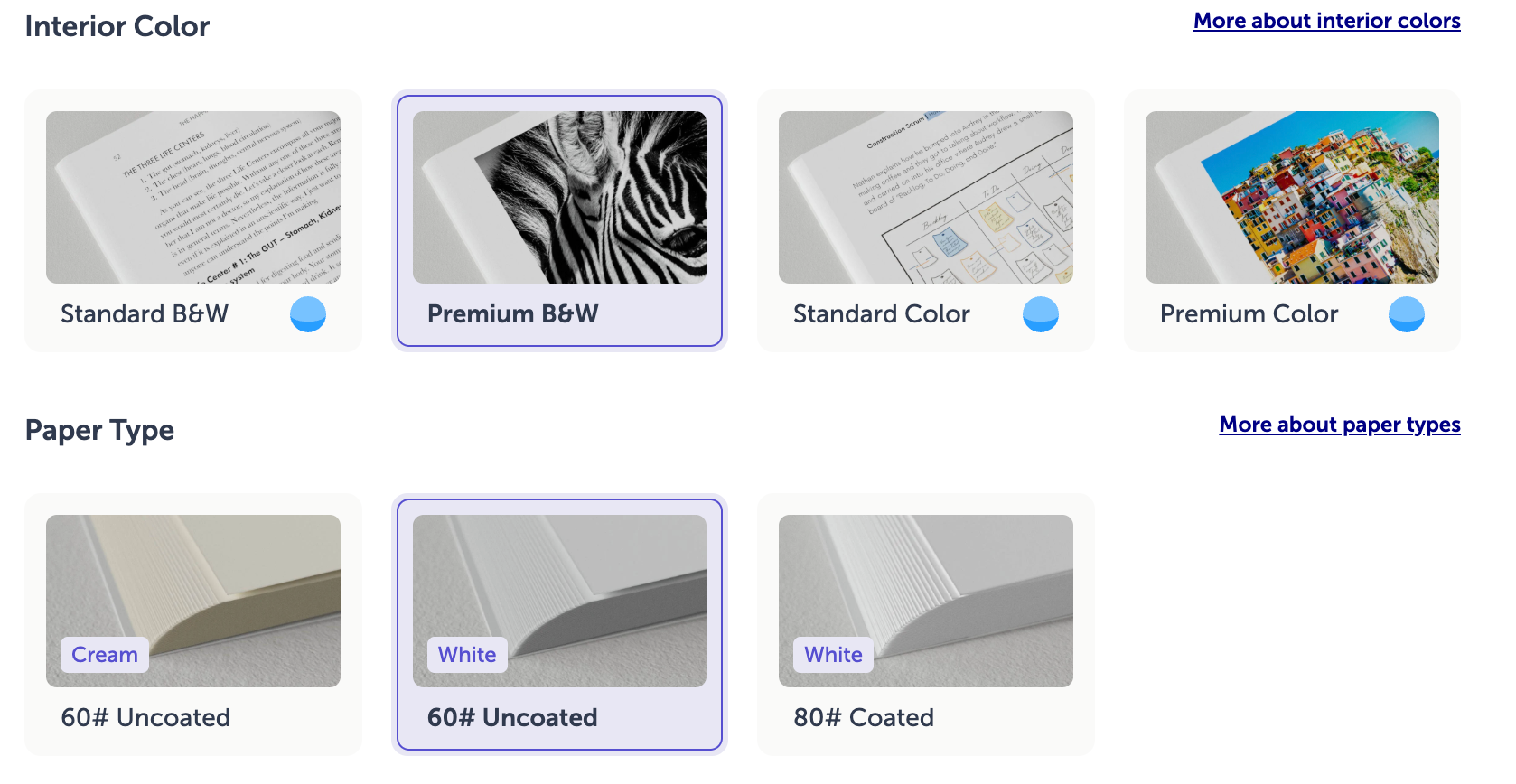
Uncoated paper is a necessity for coloring books. Be careful to select only uncoated paper so the pages can easily be drawn on. You should also look for premium ink in black & white. A standard or economy ink may not create thick enough lines to make coloring easy.
For example, using Lulu, you would want to select these options.
You most likely will want to choose a paperback binding option too. Hardcover can work, but they don’t lay flat as nicely as paperback options. Being able to keep the book open while coloring is a key feature.
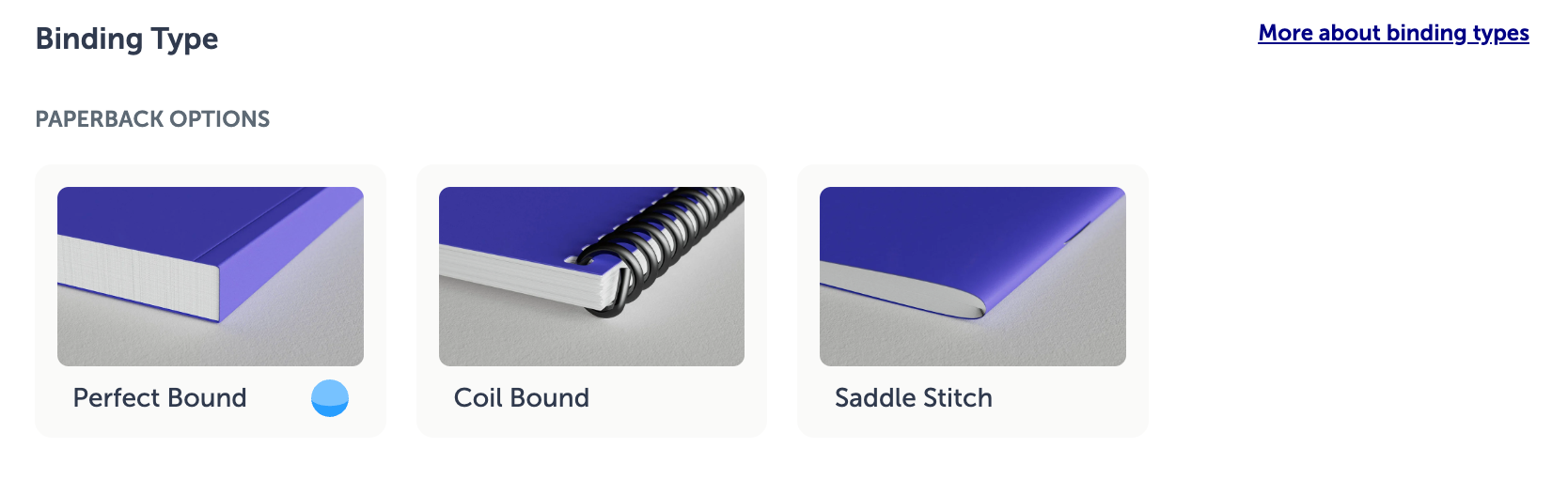
Finally, decide whether to print your designs on one side or both. Single-sided designs reduce the risk of markers bleeding onto another illustration. Double-sided pages require less paper and cost less to print.
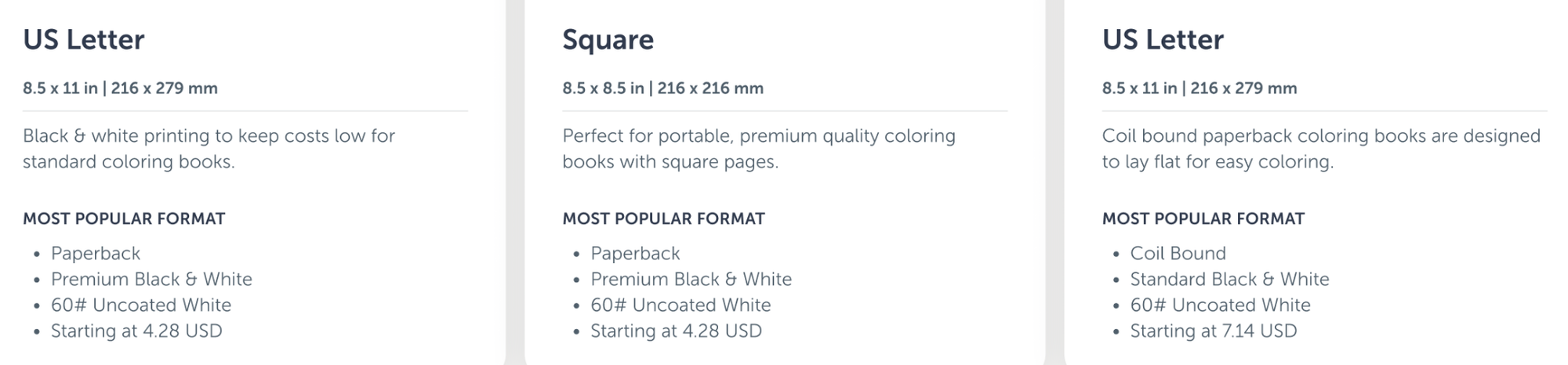
Here’s a rundown of our top three design specifications for coloring books.
How to Create Coloring Book Pages
How you create your pages will depend on your skills, source material, and goals. I’m going to break this down into three categories that we see the most often: artists, gift givers, and businesses.
Creating Pages as an Artist
If you draw by hand, it’s smart to start with a pencil sketch before inking the final lines. Scan your completed artwork at a high resolution, then use photo-editing software to remove shadows, smudges, and unwanted marks.
Your final illustrations should have consistent line weights and plenty of open space for coloring. You absolutely need to review the artwork at the page size you’ll use for your coloring book to be sure you’re getting the right amount of white space and line thickness. A line that looks fine while zoomed in may disappear or become difficult to see in print.
Tools like Adobe Illustrator, Photoshop, Procreate, and Affinity all work well for creating or cleaning up coloring book line art. The specific software matters less than your ability to export a high-resolution file. Illustrator and Photoshop are the top-tier choices from Adobe, but come with hefty subscription fees. Affinity is free design software from Canva—this is my top recommendation for free software. It’s really amazing. Procreate is an app created by and for Apple devices. It’s very affordable, with a one-time purchase price. It’s also really nice if you’re using an iPad for your pages.
Creating Pages From Photos
Okay, maybe you’re not an artist. That’s fine. I’m not either.
Luckily, there are a ton of tools available now that can turn your photos into line art that will work for a coloring book. From my experience, I recommend Canva above any others, both because it’s a well-known and reliable brand and because it works really well. Their service lets you upload an image and turn it into a line drawing. Then you can open that image in the Canva editor for any corrections.
Here’s a sample.
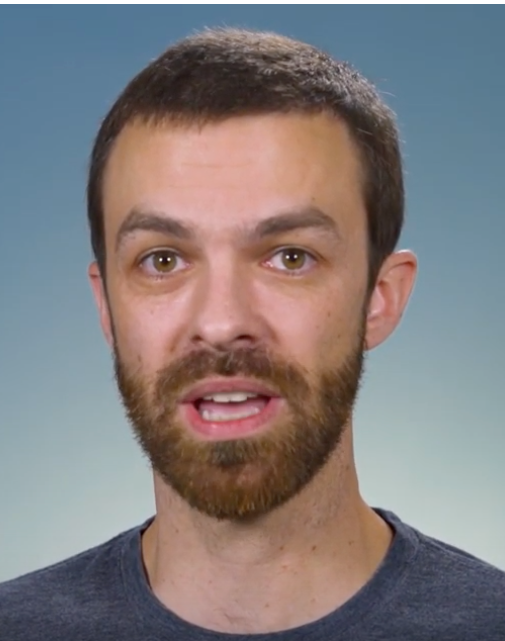
Here’s a totally unflattering headshot of me.

And here is the initial line art version. Automatic conversions will always need cleanup. Hair, shadows, patterned clothing, and busy backgrounds can create a lot of stray lines.
As you can see, it’s not quite right for a coloring book yet. The hair and clothes are too textured, eliminating white space we should leave open for coloring.
I could do some manual editing to add more space for coloring. Or use Canva’s AI features to automate this (which requires paying for a Canva account). That would likely get me a decent headshot that could be used for an adult coloring book.
Canva also has some conversion features you can access for free to adjust your image.

I used Canva’s ‘doodle’ conversion to make this image. This would probably only be good for a children’s coloring book, but we’re getting close. Next, I would need to remove the dark hair and beard so those could be colored in, and maybe make the lines slightly thinner.
But as you can see, Canva has the tools to make individual images into line art with relative ease.
When selecting your images, look for ones with:
- A clearly defined subject
- Strong contrast
- Good lighting
- A simple background
Creating Personalized Coloring Books
If you’re a business and you want to allow your customers to do what I just did—upload images and convert them to coloring book pages—you’ll also want to pair that with on-demand printing. The Lulu Print API integrates with any site to allow you to send files to production and automatically fulfill the order.
With the API, you can build a site that creates and sells custom coloring books, shipping them directly to customers while you can remain mostly hands-off the process.
First, you’ll need to develop your software to turn those inputs into coloring pages. That might come from images, as I did with Canva above, or it could be simple prompts. Something like, “make a line art drawing of a bird over a mountain,” would be enough for most modern LLMs to generate something pretty good.
Here’s what ChatGPT gave me with that very prompt:
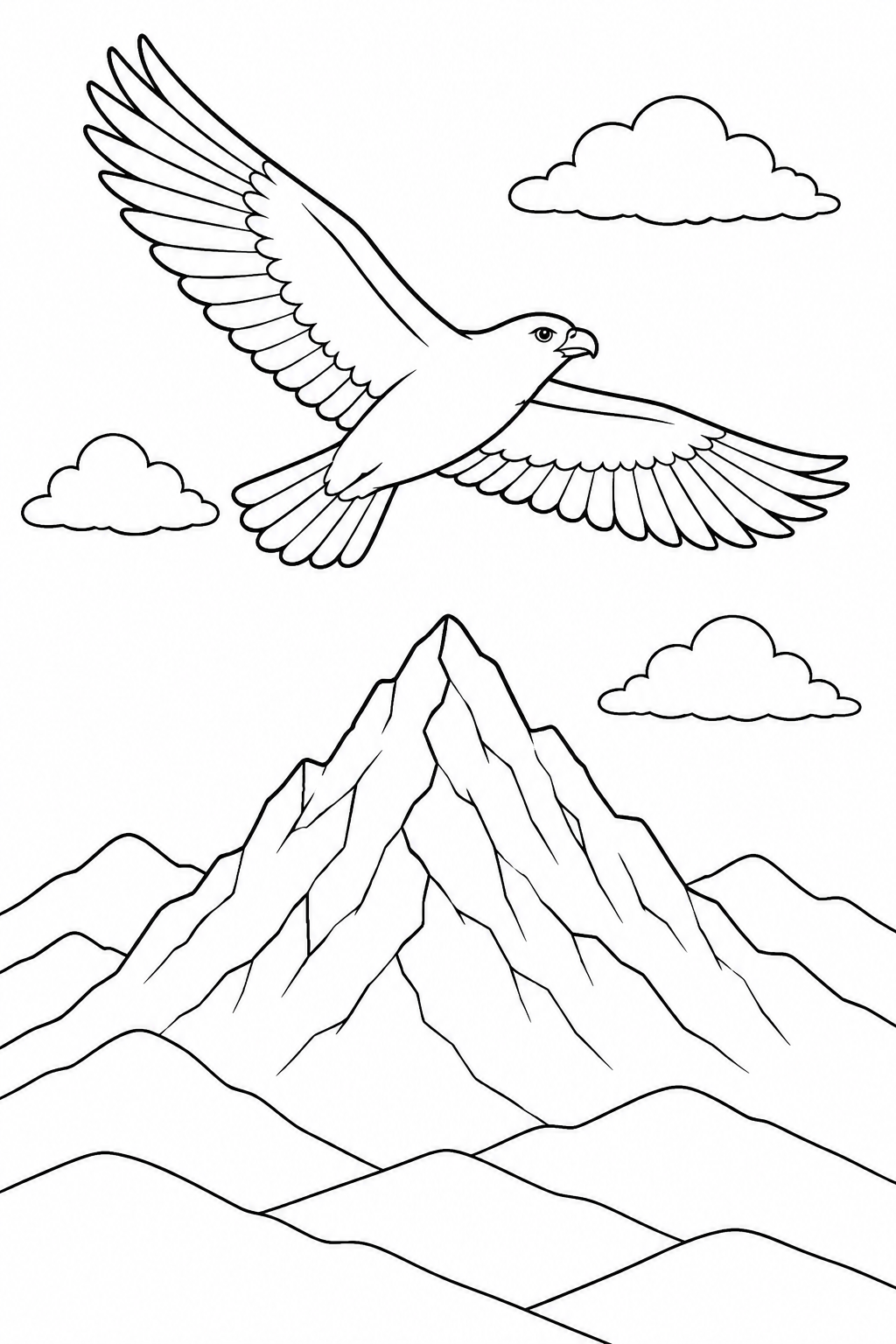
Simple, but effective. For a business, you’d preset the instructions to output the image with the right line thickness, at the right size for the pages, and with any necessary bleed. But once the background work is done, these tools can quickly use photos or prompts to generate the coloring book pages.
The system would then need to assemble a print-ready PDF, set to match Lulu’s specifications.
Building a business around custom coloring books requires more development work and quality control, but it creates an opportunity to sell a different coloring book to every customer without manually processing orders. Decide what information you need from your customers (pet pictures, vacation photos, hobbies, etc.), set up how that information will be processed on the backend (AI can be helpful here), and then connect your website to Lulu's Print API for automated order fulfilment.
Prepare & Publish Your Coloring Book
Your coloring book interior must be a single, multi-page print-ready PDF. Each illustration should be on an individual page, not exported as a two-page spread.
Review Lulu’s PDF creation specifications to ensure the files are ready for printing. The most important things to note are:
- Images are prepared at 300 PPI
- Fonts are embedded
- Transparent layers are flattened
- Page dimensions are uniform
- Pages have adequate gutter and safety margins
You can upload a complete cover PDF. That should be a single-page PDF including the front, back, and spine. Or use Lulu’s Cover Creator to add your title, artwork, and text.
Once your files are uploaded, order a proof copy.
Seriously. Do not skip the proof.
Color a few pages with the pencils, crayons, or markers to make sure the coloring book meets your expectations.
How to Sell Your Coloring Book
If you’re not trying to create an entire business using the API and just want a way to sell your coloring books, Lulu has three options:
- Lulu Bookstore - A simple way to sell your coloring book quickly. Lulu creates a product listing page and checkout for you, allowing buyers to choose shipping options.
- Lulu Direct - Sell your coloring books directly from your own site. Includes integrations for Shopify, Wix, and WooCommerce, and a bulk order upload tool.
- Direct Buy Buttons - Create a buy button or direct sales link to sell from any site, social profile, email newsletter, or QR code. Checkout is secured via Stripe.
Bringing Your Coloring Book to Life
Coloring books are an increasingly popular type of interactive book, made easier to create thanks to technology quickly turning existing photos or art into line art that can be colored in.
With the quality, uncoated paper and lay-flat binding options that print-on-demand provides, anyone can create, print, and sell coloring books with ease.